
Speed Aqua Keyboard Escape Aqua on Mobile
Landscape, hear the keys, and do not let the joystick drift into the tsunami.
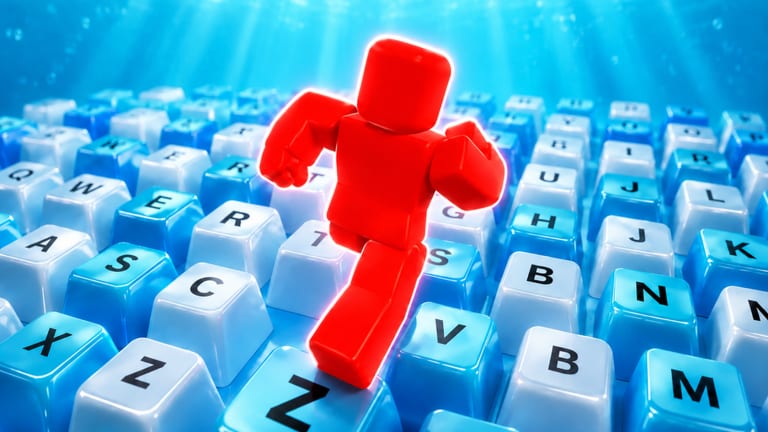
Speed Aqua Keyboard Escape runs on Roblox mobile. The tsunami does not care that your thumb is larger than a key. This page is the touch setup. The bind table for both devices is controls. How the game works is how to play.
Layout that does not drown you
Use landscape. Portrait hides jump under the joystick and covers the left HUD cluster (Code, Gift, shop). Lock rotation so a pocket bump does not flip you mid-gap.
Zoom the camera out until you see the next gap and the water line. First-person on a phone is how people miss WASD blocks. Drag the empty right side of the screen, not the jump button.
Lower graphics if frames hitch. A stuttered jump is a water jump. Unstable 40–60 FPS is worse than locked 30.
Thumbs
- Left: joystick. Pin it forward on straight ribbons; do not feather. Feathering cuts step rate and Speed (how to get Speed).
- Right: jump. Tap on the last solid key, not over the gap.
- Recalibrate drift by lifting the thumb in a safe pocket, never mid-gap. Drift into water is the mobile tsunami.
Auto-jump, if Roblox offers it for the experience, helps tiny gaps and hurts long ones. Test island 1 both ways.
HUD that phones cover
The Code and Gift buttons sit top-left, the same family UI as other Keyboard Escape games. Chat and backpack overlays hide them. Collapse chat, then tap. Redeem steps: how to redeem. Group gift: group rewards.
Shop tabs are easier in a lobby pocket. Opening Trails on a live ribbon is a stall. Stall is death. AFK Speed if you need to read the wiki on the same phone — park on a lobby belt first.
Audio
Aqua is built on water and keyboard clicks. Play with SFX on. If you commute with mute, you will jump late. Sounds explains why the click is a timing cue, not just ASMR.
Performance and heat
Phones thermal-throttle. After twenty minutes the jump timing changes. Take a belt break, let the device cool, then run another island. That mix also farms Speed while you rest.
Executors on mobile exist. They still ban. If you try one, use an alt and how to execute. A drowning tween is worse on a 60 Hz phone than on PC.
A mobile session
- Landscape, SFX on, graphics low.
- Confirm you loaded Aqua, place 80031826041492.
- Walk until Speed ticks.
- Finish island 1 or stop at the first pad you can touch (map).
- Buy the cheapest Trail.
- Rebirth if offered.
- Belt in the lobby if you must pocket the phone.
If the Gift or Code popup is off-screen, rotate, collapse chat, and tap the left stack again. Do not type codes into Roblox chat. Do not install a “mobile code generator.” The only box that works is in-game (expired codes explains why candy lists fail).
You do not need a tablet. You need a dry line and a joystick that does not drift. Practice ten island-1 runs with zero water before you care about the leaderboard.
Frequently Asked Questions
Quick answers for tsunami runs, Speed, and Roblox codes.
Can I play Speed Aqua Keyboard Escape on a phone?
Yes. Use landscape, zoom the camera out, and keep SFX on for jump timing.
Where is the Code button on mobile?
Top-left. Hide chat and backpack if they cover it. See how to redeem.
Why do I keep drifting into water?
Joystick drift. Lift your thumb in a safe pocket and recapture center. Do not recapture mid-gap.
Is mobile worse than PC?
Jump timing is harder. The loop is the same. Park on a lobby belt when your hands get sloppy.